
This article is written for: ❌ Zello Work ✅ Zello Friends & Family
In order to get a Sample Developer Token to use with the Zello Bridge, follow the below steps.
1. Go to https://developers.zello.com/. Click Login in top right corner.
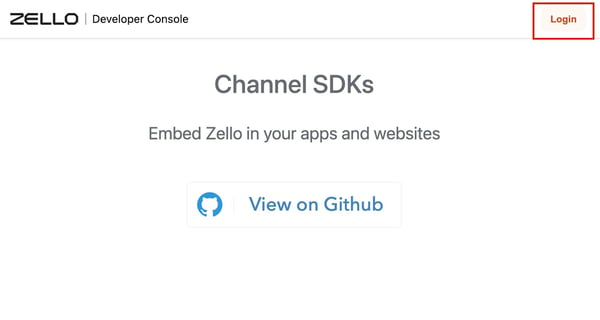
2. You will then be taken to a Log In window. Enter your credentials for your Zello for Family and Friends account.
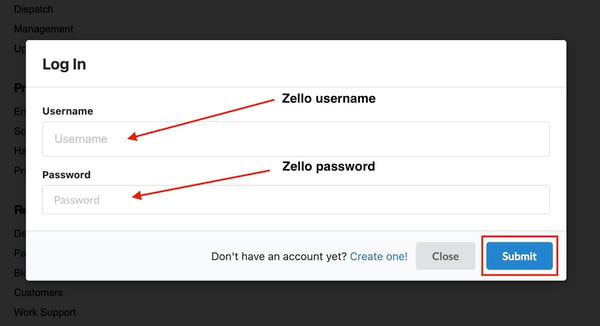
3. Once you have logged in, click Keys at the top of the screen.
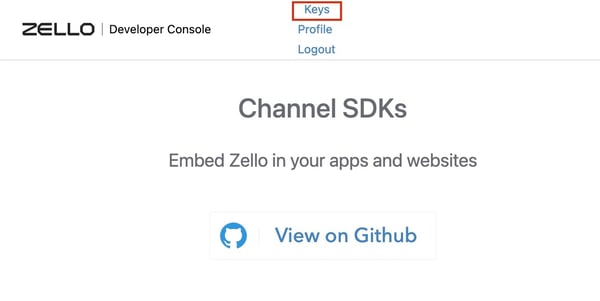
4. Click Add Key.
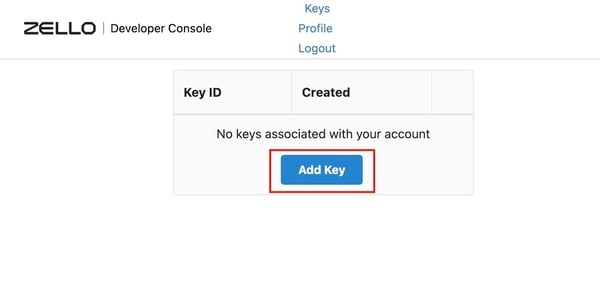
5. You will be provided your Sample Developer Token. Copy the token somewhere safe, as you will not be able to reaccess the token.
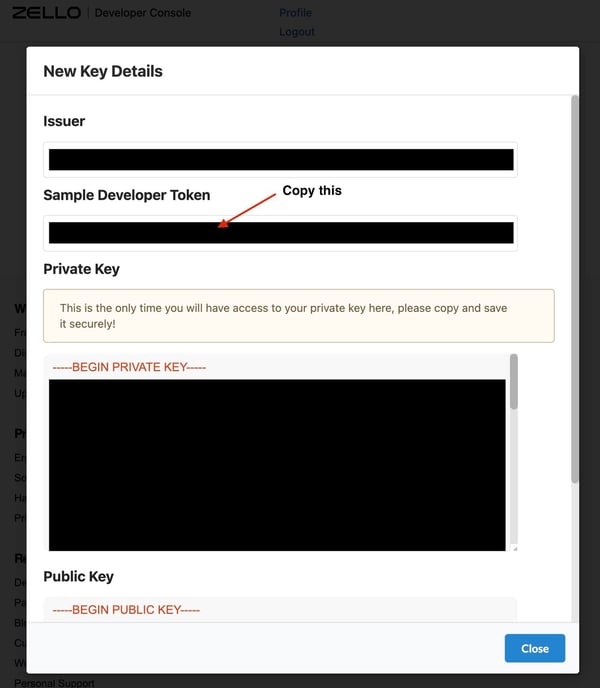
PLEASE NOTE: Sample Developer Tokens expire ever thirty days and will have to be replaced with a new token where ever they are being used.