
This article is written for: ❌ Zello Work ✅ Zello Friends & Family
Follow the steps below according to the device you're using to change the email address associated with your Zello account. Please note that the steps will change depending on whether you are changing your email address on an Android or iOS device or through Zello.com.
Android
-
Tap your profile picture in the top left corner of the screen.
-
Select Set email and phone.
-
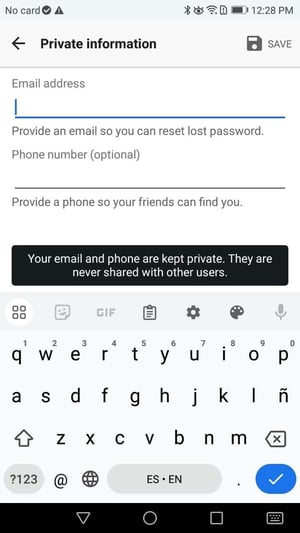
Input your desired address in the Email address field.
-
Tap the checkmark icon to save your address.
iOS
-
Tap your profile picture in the top left corner of the screen.
-
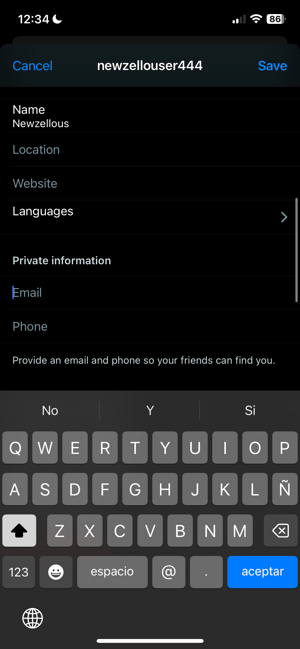
Tap your username at the top of the screen.
-
Under the Private information section, update the Email field to your desired address.
-
Tap Save.
Zello.com
-
Go to zello.com/user/home.
-
Log in using your Zello username and password.
-
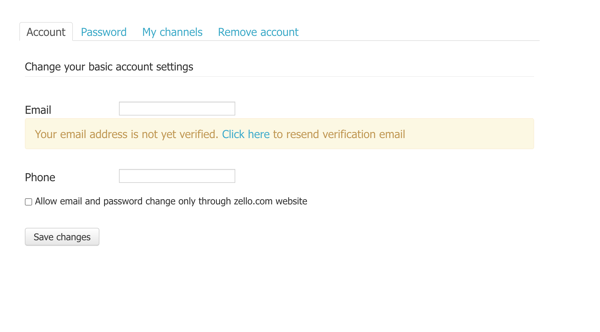
From the Account tab, update the Email field to your desired address.
-
Select Save changes.