
This article is written for: ❌ Zello Work ✅ Zello Friends & Family
Zello has implemented TLS (Transport Layer Security) to strengthen encryption between all server-client connections.
TLS is turned on by default. Since this setting is vital for the security of your network, we don't recommend disabling TLS unless you're using the Legacy PC App.
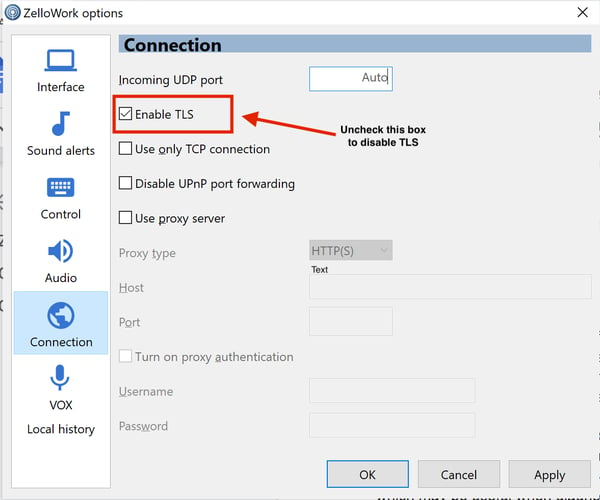
How to disable TLS on the Legacy PC app:
- In the menu, select Tools -> Options
- In the Zello options dialog select Connection
- Turn off “Enable TLS”
PLEASE NOTE: Scheduled updates for end of year 2026 will make the Legacy PC App no longer available for use or download. To continue using Zello for Family and Friends for radio integration, please download the Zello Bridge.