This article is written for: ✅ Zello Work ❌ Zello Friends & Family.
When enabled by user roles, users can connect to and disconnect from dynamic channels to minimize noise and focus on relevant communications. This feature is especially useful for users involved in multiple dynamic channels, allowing them to disconnect from channels that aren't currently needed.
Connecting/disconnecting from a channel
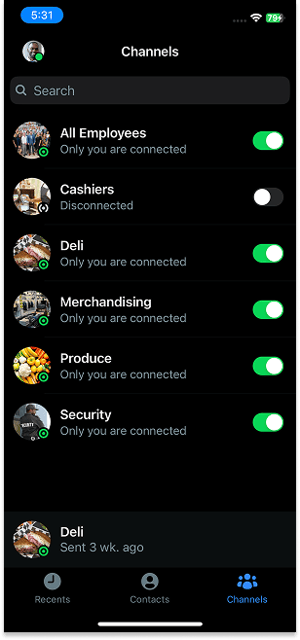
To connect or disconnect from a channel, use the toggle next to the channel name. A green toggle means that you are connected to that channel; a grey toggle means that you are disconnected from it.