
This article is written for: ✅ Zello Work ❌ Zello Friends & Family.
Zello's invitation deep links allow teams to onboard quickly, smoothly, and consistently. When enabled, admins can send direct SignOn links to new network users, allowing those users to sign in with the click of a link—username and password not required.
Deep links must be enabled from Settings > Web Console. They can be sent via SMS or email, but they won't work on networks utilizing MDM platforms; this functionality requires access to either Google Play or the App Store.
Enablement
1. Sign in to the Management Console at [yournetworkname].zellowork.com.
2. Go to Settings > Web Console. Find Enable invitation deep links, and toggle on to enable.
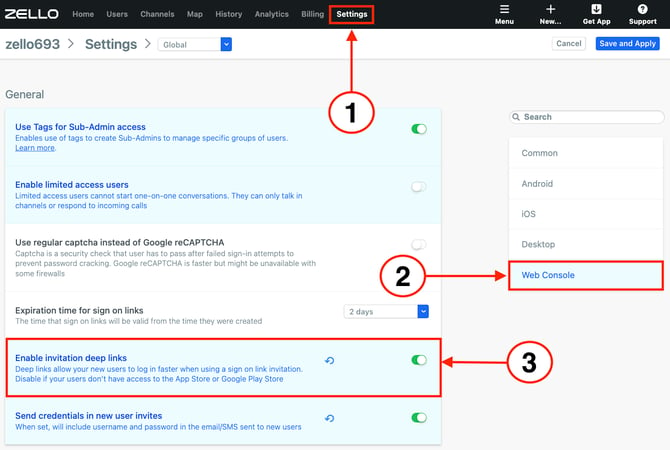
4. Click Save and Apply.