
This article is written for: ✅ Zello Work ❌ Zello Friends & Family.
Mapping the CAT PTT button to Zello allows you to send audio messages without having to open Zello and use the touchscreen. The dedicated PTT button also brings Zello to the foreground and unlocks your phone.
Mapping the PTT button on the CAT phone:
- On the home screen, tap the Android Settings icon
- Select Programmable Key
- Select Wake device
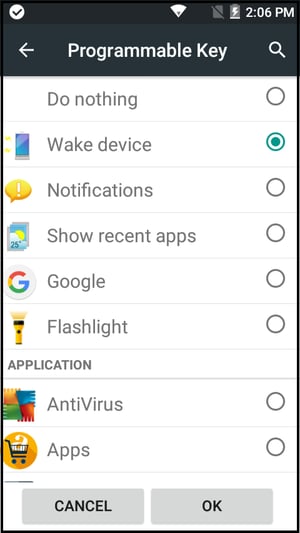
- Select OK to exit Settings
- Open Zello and then tap the App Menu icon (3 vertical dots)
- Select Options
- Select Push-to-talk buttons
- Tap the Add (+) icon at the bottom right
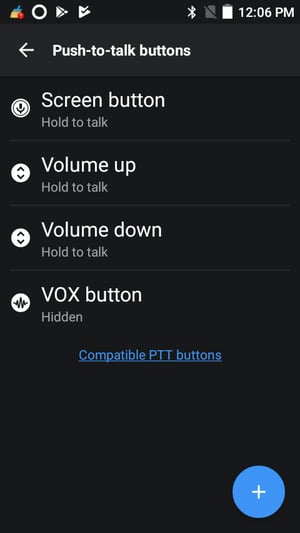
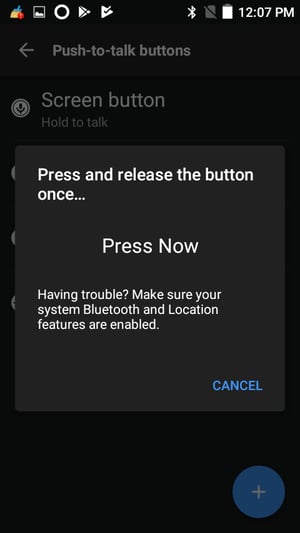
- When prompted, press the PTT button on the CAT phone
- You'll see it mapped as the Camera button
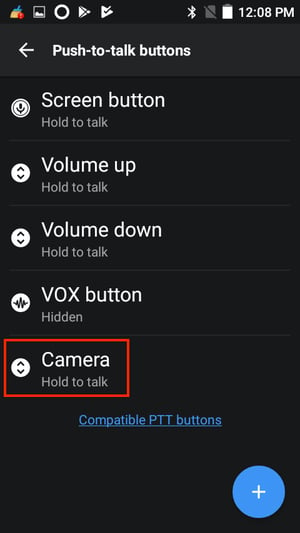
- Go back to Android Settings > Programmable Key > Apps and select Zello or ZelloWork.
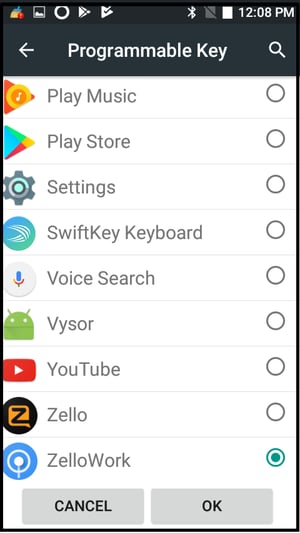
- You can now use the PTT button on the CAT phone to send Zello audio messages.