
This article is written for: ✅ Zello Work ❌ Zello Friends & Family.
Zello offers new users a free, 14-day trial of our Work platform, allowing you to explore its features before purchasing a full subscription. At any point during or after that 2 week period, your network's primary admin can easily convert the trial to a full subscription from the Management Console.
Subscribe from the Management Console
To subscribe to Zello Work, follow the steps below:
1) Sign in to the Management Console via the URL [yournetworkname].zellowork.com.
2) Select Upgrade from the taskbar. 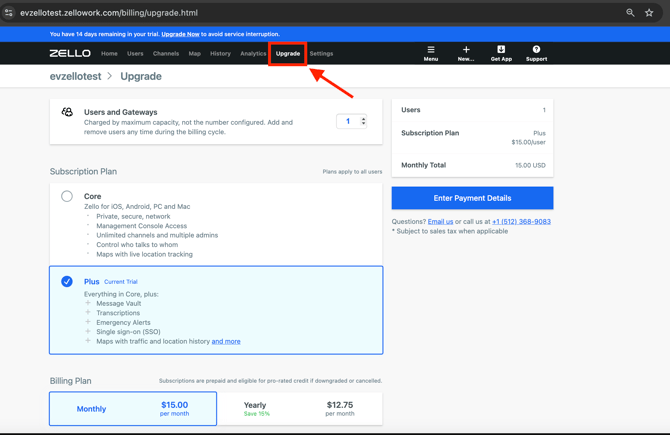
3) You will need to configure the number of users and gateways, your subscription plan, your billing plan, your company's profile, credit card details and billing contact. See below for information on each.
Number of users and gateways
-
Enter the number of users and gateways you'd like included in your subscription. This parameter represents the maximum number of users or gateways that can be configured at once for your network.
Keep in mind that billing is based on your network's maximum capacity, not the number of active, in-use users. The maximum capacity can be changed at any point in time from the Management Console.
For example: I've elected to pay for 6 users/gateways, even though at the time of subscribing, I have only configured 4 active users. This means I have two additional slots I can assign to others as needed. If I wished to configure 9 users for my network, I'd need to first update my console's Billing tab.
Learn more about configuring active network users.
Subscription plan
-
Subscription plans determine the features your network has access to. Core offers access to basic Zello functionality, while Plus offers access to advanced features like transcriptions, Message Vault, and Emergency Alerts.
*Please note that your free trial is for Zello's Plus tier. If you opt for a Core subscription, you may lose access to some features available throughout the two-week trial.
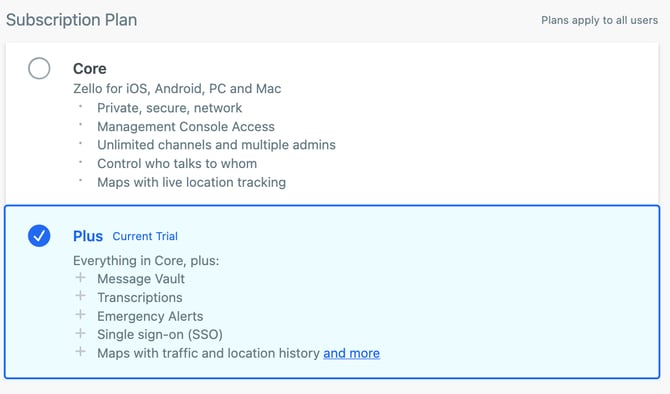
Learn more about pricing.
Billing plan
- Choose if you'd like to pay for your Zello subscription on a monthly or yearly cadence. Note that yearly subscriptions are offered a 15% discount.

Company profile
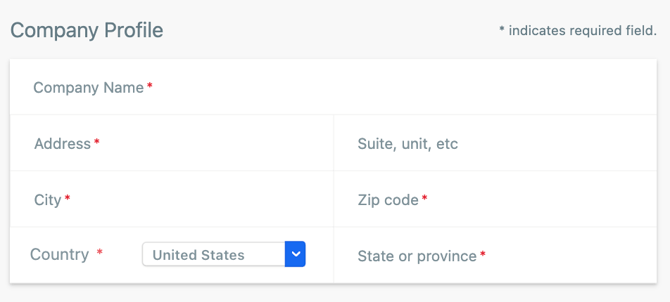
- Enter your company's name and address. Note that this will be the name your company is billed under.
Credit card details
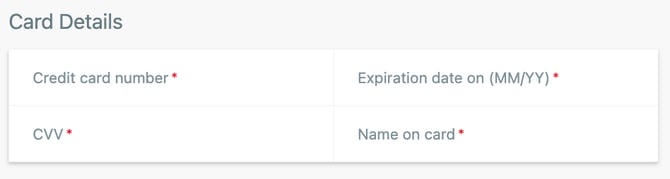
- Enter the credit card you'd like billed for your Zello subscription.
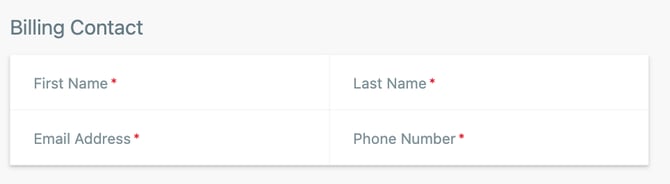
Billing contact
- The billing contact is the individual our team will contact regarding all things billing (e.g. invoices, questions, etc.).
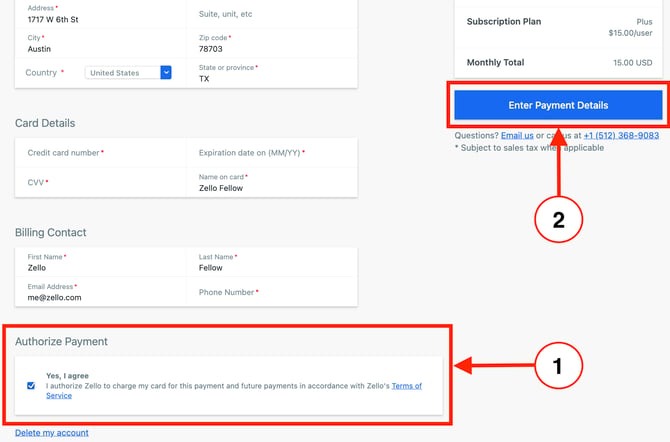
4) Check the box to authorize your payment and click Enter Payment Details.
 5) Select Submit Payment.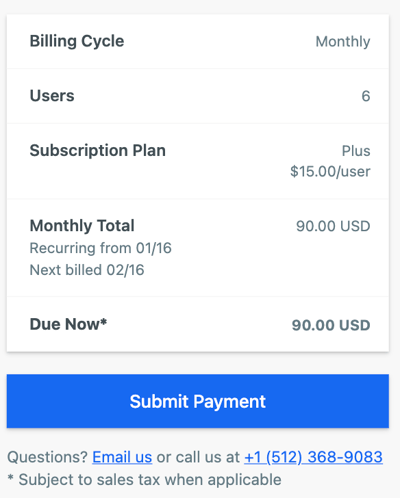
6) You're officially subscribed! Enjoy Zello, and know you can reach out to our team ([email protected]) with questions at any time. Happy talking!
Recommended Reading
-Creating and Configuring Network Channels
-Getting Started: Using Zello Work on your Android Device
-Getting Started Guide: Zello Work (iOS)
-Getting Started Guide: Admin Management Console