
This article is written for: ✅ Zello Work ❌ Zello Friends & Family.
Texting on Zello's legacy PC app provides a quick, simple, and voiceless way to talk with channels or contacts from a desktop computer.
Please note: The legacy PC app is the predecessor to Dispatch Hub, and we strongly recommend users migrate to Dispatch Hub for an enhanced, more user-friendly experience. Rest assured, texting is available for Dispatch Hub, as well.
Send a Text Message
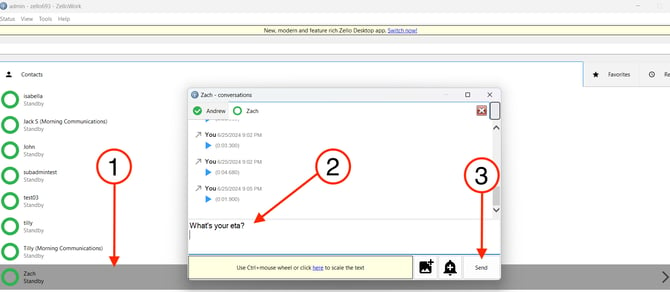
To text a contact or channel on the legacy PC app:
- From the home screen, select the name of the contact or channel you'd like to text.
- Type your message in the dialogue box.
- Click Send.
Deleting Messages
Messages can be deleted from your device's history by following the steps below.
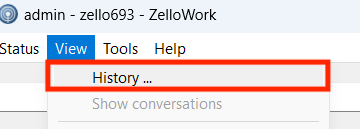
- Go to View > History.
-
Right click on the message you'd like to delete and click Delete Selected.
